
Xcel Energy Time of Use Rates Heat Pump: Winter Guide
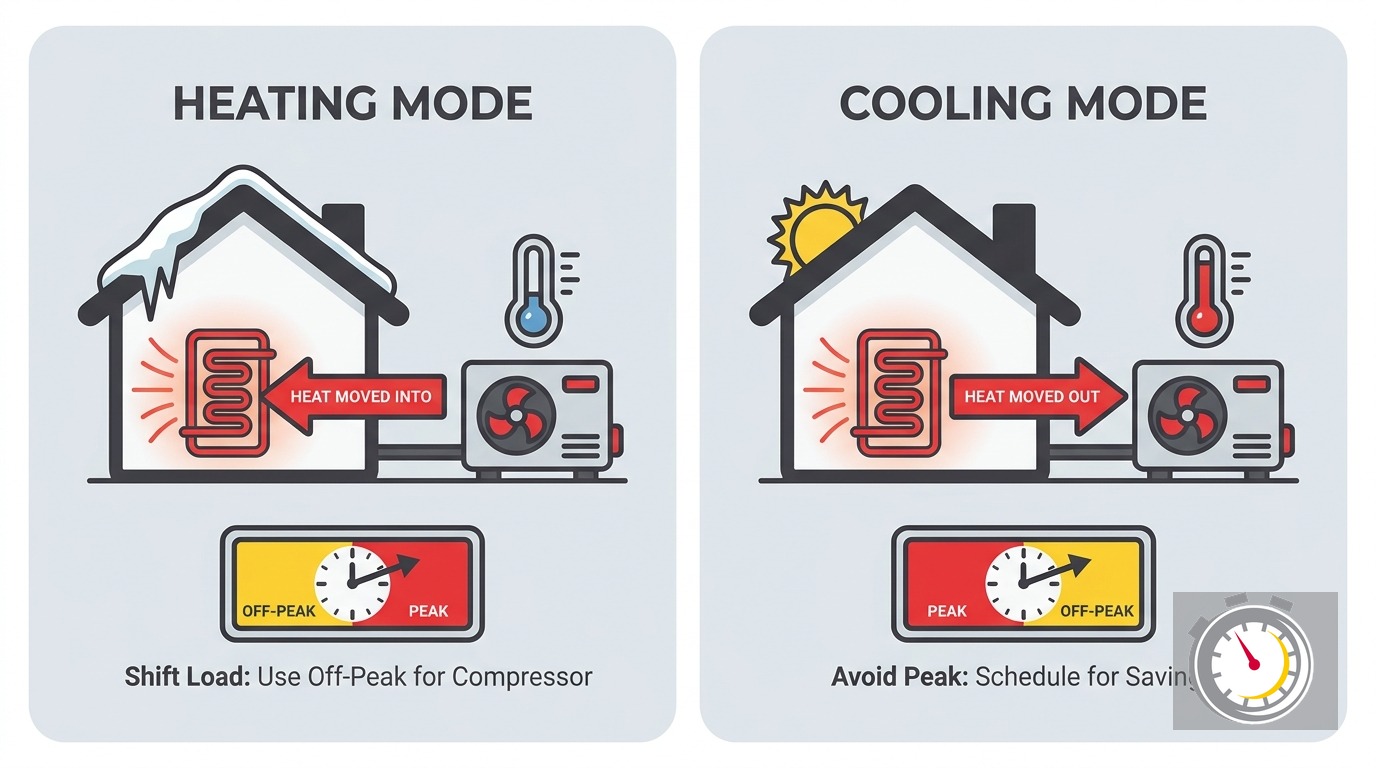
Key Takeaways
- Xcel Energy’s optional time of use plan in Minnesota has a 6 p.m. to 9 p.m. weekday peak. Heat pump owners can build a thermostat schedule around that window.
- The best winter play is small: a light pre-heat before 6 p.m. and a shallow setback during the peak.
- Deep setbacks are risky. They can trigger backup resistance heat and wipe out the savings.
- The optional electric space heating winter rate is a separate plan. It may beat time of use for many heat pump homes.
- Rates and dates are still moving. Confirm every price with Xcel Energy before you switch plans.
- We are locally owned and operated, and we can check your heat pump settings before you enroll.
What Are Xcel Energy Time of Use Rates for Heat Pump Owners?
Time of use rates charge different prices for electricity at different hours. Xcel Energy’s optional Minnesota plan makes weekday evenings cost more and overnight hours cost less. A heat pump runs on electricity, so your thermostat schedule can move some of its work into cheaper hours.
You get the same heat, just at better times.
Here in the Twin Cities, a heat pump works hard from October through May. That makes the price of each kilowatt-hour matter more than it does for a furnace owner. A gas furnace burns gas, and that fuel price does not change by the hour. Electricity does.
The Citizens Utility Board of Minnesota reports that state regulators approved an optional residential time of use rate in March 2025. The hearing was March 6, 2025. The same write-up says the rate likely would not be available until 2026.
The word to notice is optional. Nobody has to join. The early proposal worked differently, and we cover that below.
If heat pumps are new to you, start with our first winter heat pump owner guide. It covers what normal operation looks and sounds like.
When Are the Peak and Off-Peak Hours?
Peak is 6 p.m. to 9 p.m. on non-holiday weekdays. Off-peak is midnight to 6 a.m. Every other hour is base. That includes 6 p.m. to 9 p.m. on weekends and holidays. Only weekday evenings carry the highest price.
The CUB write-up lays out the three time periods this way:
- Peak: 6 p.m. to 9 p.m. on non-holiday weekdays.
- Off-peak: midnight to 6 a.m.
- Base: all other hours, including 6 p.m. to 9 p.m. on weekends and holidays.
The same source defines the seasons. Summer is June through September. Non-summer is October through May. The off-peak rate stays the same all year.
Our heating season sits almost entirely in the non-summer months, so the winter numbers matter most to you.
Do not mix up the old proposal
You may have seen older news about a 3 p.m. to 8 p.m. peak. That was the first plan. MPR News covered the April 2024 proposal, which ran from 3 to 8 p.m. on weekdays.
That version was an opt-out default. Regulators later approved an opt-in plan with different hours. A website that still lists a 3 p.m. to 8 p.m. peak is out of date.
Some tariff-tracking pages also list much longer daytime windows. Those describe an older plan, not this one. Match the hours to the plan name.
How Big Is the Price Gap in Winter?
In winter, the peak price is about 2.2 times the off-peak price. In summer, the gap grows to about 2.7 times. That smaller winter gap is why deep thermostat games rarely pay off for heat pump owners in January.
The ratios come from the CUB article on the PUC decision. It reports 2.7 times off-peak in summer and 2.2 times in winter.
What does 2.2 times mean for you? Each kilowatt-hour you move out of the peak window saves a bit more than half the peak price. That is real. It is not huge.
A July 2026 report from Hoodline, citing the Star Tribune, gives approximate prices:
- Super-off-peak: about 7.5 cents per kWh from midnight to 6 a.m.
- Winter peak: about 17 cents per kWh.
- Summer peak: about 21 cents per kWh.
- Other hours: about 11 cents in winter and 13 cents in summer.
We cannot verify those figures against Xcel’s own tariff, so treat them as a rough guide. Your actual prices will come from Xcel Energy.
The same report cites Xcel modeling that non-summer bills could fall about 10.6%. That is a modeled average, not a promise for your home. A house with a heat pump, a tight envelope, and a flexible schedule may do better or worse.
For comparison, the CUB article notes that Xcel’s standard residential rate was 13.07 cents per kWh when it was written. Your base-rate hours may cost less than that flat rate. Your peak hours will cost more.
Is the Electric Space Heating Rate a Better Fit Than Time of Use?
For many heat pump homes, it may be. The optional electric space heating winter rate is a separate plan with a lower winter price for homes heated by electricity. It does not ask you to watch the clock. Compare both plans before you choose.
Heat pump owners often blur these two plans together. They are different.
The CUB article says the optional electric space heating winter rate is 6.537 cents per kWh. It applies to customers whose primary heat source is electricity. That includes heat pumps and electric baseboard heating.
ACEEE describes the Xcel proposal as a lower winter volumetric rate for any electric space heating, not only heat pumps. That fits what CUB reports.
Why might this plan win? Put the two price tags side by side:
- The space heating rate is a low flat price in winter.
- The time of use plan has a peak price well above that flat price.
- A heat pump home runs most hours of the day in January.
If your heat pump runs all day on a cold week, a low flat winter price helps every hour. A time of use plan only helps if you can move load out of the peak window.
Timing is a catch. The CUB page says you can choose the space heating rate one month after the PUC’s written order is published, which it describes as sometime in late spring or early summer. We did not confirm the actual date. Ask Xcel Energy what is open to you today.
Then do the math for your home. Pull your last 12 months of bills and note the kilowatt-hours you used each winter month. Price those hours under each plan.
How Do You Shift Heat Pump Load Without Losing Comfort?
Shift load with small moves. Warm the house a little before 6 p.m. on weekdays. Let it drift down a few degrees during the peak. Return to normal after 9 p.m. Gentle changes keep the compressor in its efficient range.
A heat pump compressor works best when it runs steadily at a low or medium speed. It struggles when it has to catch up fast.
That is why we favor modest moves. Your house stores heat in its walls, floors, furniture, and air. A well-sealed home holds that heat longer. A leaky, older home loses it faster.
If your home loses heat quickly, shifting load is harder. Our post on why older Twin Cities homes struggle with winter comfort explains the causes. Air sealing and insulation often help more than any schedule.
Three levers you control
- The pre-heat. Raise the setpoint a degree or two in the hour or two before 6 p.m.
- The peak setback. Lower it a few degrees from 6 p.m. to 9 p.m. Keep it shallow.
- The overnight hold. Do not drop the temperature deeply at night. Overnight is the cheapest window.
The third one surprises people. Under a standard plan, a night setback saves energy. Under this plan, the cheapest electricity of the day arrives after midnight. A deep overnight setback gives up the chance to bank heat when it costs the least.
Our heat pump thermostat setback schedule guide covers general setback logic. This post adds the time of use layer.
What Thermostat Schedule Trims the Winter Bill?
On a weekday, start with a steady daytime setpoint. Pre-heat by 1 to 2 degrees before 6 p.m. Drop 2 to 3 degrees from 6 to 9 p.m. Return to normal at 9 p.m. Hold steady overnight. Adjust by a degree based on comfort.
Here is a starting schedule for a weekday. It assumes a normal comfort setpoint of 68 degrees. Use your own number.
| Time | Setpoint | Why |
|---|---|---|
| 6 a.m. | 68 | Off-peak ends. Base rate begins. |
| 8 a.m. | 66 | Mild daytime setback if no one is home. |
| 3:30 p.m. | 68 | Return to normal before the evening. |
| 4:30 p.m. | 69 or 70 | Light pre-heat. Store heat in the house. |
| 6 p.m. | 66 or 67 | Peak begins. Let the house coast. |
| 9 p.m. | 68 | Peak ends. Return to normal. |
| Midnight | 68 | Off-peak begins. Hold steady. |
Treat this as a draft, not a rule. Your home will tell you if it works. If rooms feel chilly by 8 p.m., shrink the setback. If the house feels stuffy at 5 p.m., trim the pre-heat.
The daytime setback stays mild on purpose. Our thermostat setback savings numbers page explains why bigger swings do not scale the way people expect.
On weekends and holidays, skip the schedule. The CUB article says 6 p.m. to 9 p.m. is a base-rate period on those days, so there is no peak to avoid. Run a flat schedule and keep it simple.
Use your thermostat’s features
Many smart thermostats let you build a weekday and weekend schedule. That is all you need. Some also offer a recovery feature that starts heating early to hit a target on time. Read our post on smart thermostat recovery mode before you turn that on. It may fight your plan.
Before you rely on any app, confirm the thermostat is set up for a heat pump, not a furnace. A mismatch can cause odd staging. We have seen it in older homes.
Why Do Deep Setbacks Backfire on a Heat Pump?
A deep setback makes the thermostat call for a big temperature jump later. A heat pump may not close that gap alone on a cold morning, so backup resistance heat switches on. Resistance heat costs far more to run and can erase the savings.
This section matters most. It is installer knowledge from our field work, not something the rate sources address.
Here is how it plays out. You set the house back to 60 degrees overnight. At 5 a.m., the thermostat wants 68. The outdoor temperature is near zero. The heat pump runs hard but cannot lift the house fast enough, so the thermostat adds the backup heat strips.
Resistance heat turns electricity into heat one for one. A heat pump moves heat and delivers much more heat per kilowatt-hour. When strips run for long, your bill climbs. Our post on auxiliary heat strips and their operating cost shows how that adds up.
Time of use raises the stakes in one narrow case. A late-afternoon recovery that lands inside the 6 p.m. to 9 p.m. window uses peak-priced power. If strips run then, you pay twice: once for strips, and again for peak pricing.
To prevent that:
- Keep setbacks to 2 or 3 degrees.
- Start recovery early so it ends before 6 p.m.
- Check that your thermostat limits when backup heat can run.
Wiring and staging settings matter here. See our guide to heat pump thermostat wiring and aux heat staging for the details.
On the coldest days of the year, forget the schedule and run a flat setpoint. Comfort and equipment health come first.
How Does a Cold Snap Change the Plan?
On very cold days, shrink or skip the setbacks. A heat pump loses output as the outdoor temperature falls, so it has less spare capacity to recover. A flat schedule avoids backup heat and keeps the house comfortable.
Minnesota winters do not stay mild. A week of single digits changes how a heat pump behaves.
On those days, the pre-heat still helps a little. The peak setback should shrink to 1 degree or disappear. You are protecting comfort and avoiding strips.
If your usage spikes, read why heat pump electric bills spike in winter. Often the cause is not the rate. It is the strips, a dirty filter, or a thermostat setting.
Watch for ice on the outdoor unit too. A defrost cycle is normal, but a unit buried in snow is not. Keep the area clear.
Who Should Skip Time of Use?
Skip it if you cannot shift your routine, if your home loses heat fast, or if the space heating rate fits you better. A plan that saves money on paper can cost more if you fight your own comfort.
Time of use rewards flexible households and punishes rigid ones.
You may be a poor fit if:
- Someone is home and needs steady warmth every weekday evening.
- Your home is drafty and cools quickly.
- Your heat pump is undersized for the coldest days.
- You rely on a medical device that needs steady indoor temperatures.
- You cook, wash, and run appliances mostly from 6 p.m. to 9 p.m.
That last point is easy to miss. Your heat pump is not your only evening load. The oven, dryer, and dishwasher all draw power then, and a time of use plan prices all of it at the peak rate.
You may be a good fit if you work away from home, keep a tight house, and can shift laundry to the weekend. Families with a flexible evening routine often come out ahead.
A tight envelope gives you a real edge. Before you chase schedule tricks, consider air sealing before an HVAC upgrade. It lowers the load on every plan.
How Do You Enroll, and Can You Opt Out?
Enrollment is gradual and tied to smart meter rollout. A July 2026 report says Xcel sends notices 30 and 15 days ahead and allows opt-out with 30 days’ notice. Confirm current terms with Xcel Energy before you commit.
The Hoodline report says enrollment is gradual as smart meters come online. It also says customers get notices 30 and 15 days ahead. It says they can opt out with 30 days’ notice.
Those are secondary details. We have not seen them in an Xcel tariff, so use them as a starting point for your phone call.
Ask Xcel these questions:
- Is my address eligible for the time of use plan today?
- Is my address eligible for the electric space heating winter rate?
- What are the exact peak, off-peak, and base prices right now?
- How long is the trial, and how do I leave?
- Does my smart meter need to be installed first?
Write down the answers. Then run your own numbers.
We did not research Minnesota permit rules or heat pump rebates for this post. For incentives, start with our guides to Xcel and CenterPoint HVAC rebates and Minnesota heat pump rebates and tax credits. Programs change, so check each one before you rely on it.
What Should You Check Before You Switch Plans?
Check your last 12 months of bills, your thermostat’s staging settings, your backup heat controls, and your home’s heat loss. Then compare both Xcel plans in a simple spreadsheet. Do this before you enroll, not after.
A short checklist helps:
- Bills. Find your winter kilowatt-hours by month.
- Thermostat. Confirm it is set for a heat pump, with a schedule you can change.
- Backup heat. Learn when your strips are allowed to run.
- Envelope. Note drafts, cold rooms, and slow recovery.
- Filter and coils. A dirty filter makes the system work harder. See how often to change your HVAC filter.
Then make one change at a time. Try the new schedule for two weeks and watch comfort first. Check your usage data if Xcel gives you an online view.
Do not stack five changes at once. You will not know what helped.
If the schedule fights your comfort, stop. A cozy house beats a small savings number.
How Can Northern One Hour Help?
We check your heat pump settings, staging, backup heat controls, and thermostat schedule before you enroll in a new rate. We are a locally owned and operated Twin Cities team, and we show up within the window you choose.
Northern One Hour Heating & Air Conditioning is locally owned and operated in Ramsey, Minnesota. We work on heat pumps, furnaces, boilers, air conditioning, and thermostats across the Twin Cities. Learn more on our heat pump services page.
We know our winters, and we know how a heat pump behaves at 5 below. We can look at your thermostat, your aux heat lockout, and your airflow. Then we can tell you which schedule is safe for your equipment.
We also stand behind our timing. Our promise is “Always On Time… Or You Don’t Pay a Dime!(R)” We arrive within the time window you select. If the technician does not show up on time, you do not pay for the service.
If your system is old or undersized, a rate plan will not fix it. A replacement may. When you reach that point, ask us about financing for larger jobs.
Call (763) 260-6662 or book online to schedule fast. Tell us you want a time of use check on your heat pump, and we will set it up.
Frequently Asked Questions
When is Xcel's peak window under the optional time of use rate in Minnesota? +
Should a heat pump owner use deep thermostat setbacks on a time of use plan? +
Is the electric space heating rate different from the time of use rate? +
Can I leave the time of use plan if it does not save money? +
Need a technician now?