
Thermostat Blank Screen Not Working in Minnesota? Here's Why
Key Takeaways
- A thermostat blank screen not working in Minnesota has six common causes. Most homeowners resolve it without a service call.
- Dead batteries are a common cause of blank thermostat calls. Start there. It takes two minutes.
- A tripped circuit breaker, a blown 3-amp fuse on the furnace control board, a failed C-wire connection, and a triggered condensate float switch can each cut all power to the thermostat with no visible warning.
- Smart thermostats without a C-wire go dark specifically between heating or cooling cycles. That timing pattern is the single clue that points to the C-wire and nothing else.
- If the thermostat is dead and needs replacing, Xcel Energy and CenterPoint Energy each offer a rebate on ENERGY STAR smart thermostats. Both can be stacked for additional savings.
When Your Thermostat Blank Screen Leaves You Without Heat in Minnesota
You walk to the thermostat. The screen is completely blank. Pressing buttons does nothing. The house is quiet.
A thermostat blank screen not working in Minnesota carries different stakes than it does in a warmer state. Minnesota design temperatures regularly drop below -20 degrees Fahrenheit. At those temperatures, an unheated home can reach pipe-freeze conditions in a matter of hours. Burst pipe repairs average more than $10,000. That makes a blank thermostat screen a time-sensitive problem, not a nuisance.
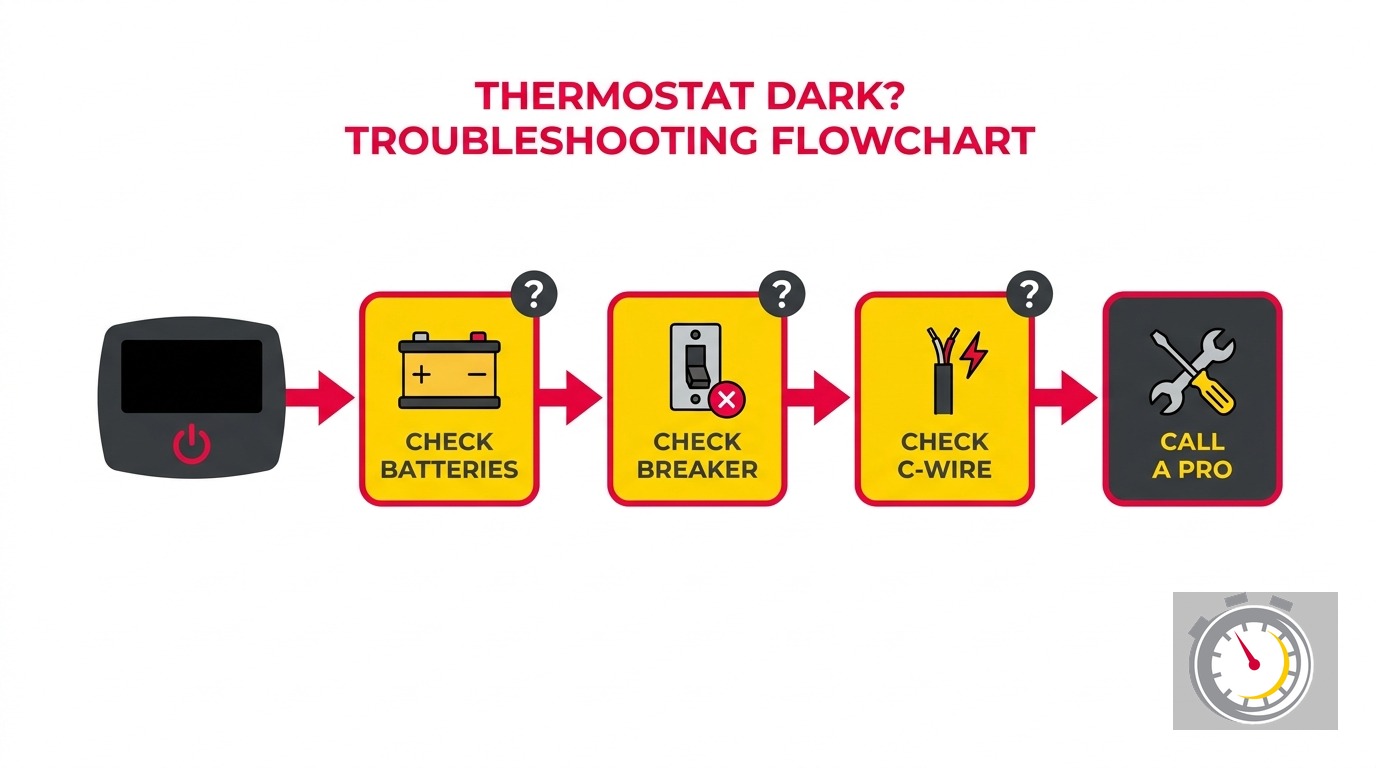
The good news: most causes are fixable without a service call. Work through the six steps below in order. Each check takes two to five minutes. If you cannot restore heat in about 20 minutes, stop and call a professional.
What most thermostat troubleshooting guides get wrong is that they list all the causes side by side, as if a tripped breaker and a dead thermostat are equally common. They are not. Starting with the most common cause and working down saves time. That is what this guide does.
Is a Blank Thermostat Screen a Heating Emergency in Minnesota?
Yes, in winter. Minnesota design temperatures regularly drop below -20 degrees Fahrenheit, and an unheated home can reach pipe-freeze conditions within two to four hours at those temperatures. A blank screen means the heating system cannot receive a call for heat. If it is below zero outside and you cannot restore heat within 20 minutes, call a pro now.
In summer, the stakes are lower. A blank screen means the air conditioner is not responding to your settings, but you have more time to work through the steps. The six causes and their fixes are identical regardless of season.
One thing that catches Minnesota homeowners off guard: the thermostat screen going dark does not always mean the furnace itself has failed. In many cases, the furnace is perfectly fine. It just has no signal coming from the thermostat. Restoring thermostat power is often all that is needed to get heat flowing again.
If you are reading this in January, set a 20-minute timer right now, then start with Step 1.
Why Should You Check the Batteries First?
Because dead batteries are a common cause of blank thermostat calls. Many smart thermostats keep battery backup even when powered by a C-wire. Those backup batteries run the display and preserve settings during power outages. When they die, the screen goes dark even though the C-wire connection is intact. Most homeowners do not realize this. They assume the C-wire makes the batteries irrelevant. It does not.
Replacing the batteries takes two minutes and costs about three dollars. No other fix on this list is faster or cheaper.
How to replace thermostat batteries
- Pull the thermostat body off its wall plate. Most models snap free when you press a tab on the bottom edge and lift.
- Locate the battery compartment on the back of the unit.
- Insert fresh alkaline AA or AAA batteries. Do not use rechargeable batteries. Their lower voltage causes erratic behavior on most thermostat models, including intermittent display issues that can look like a failing unit.
- Snap the thermostat back onto the wall plate.
Wait a few seconds. The screen should power on. If it does, confirm the system is actually calling for heat before walking away.
If the screen stays blank, move to Step 2. Do not skip ahead.
How to avoid this problem in the future
Most thermostats display a low-battery warning days or weeks before the screen goes dark. If you missed the warning, the batteries likely died slowly over months. Replacing them once a year during your fall heating tune-up eliminates this as a winter emergency. Add it to the same annual checklist as smoke detector batteries.
How Do I Reset a Tripped HVAC Circuit Breaker?
Find the breaker panel, locate the breaker labeled “Furnace,” “Air Conditioner,” or “HVAC,” and look for one sitting between the ON and OFF positions. A tripped breaker does not sit fully in either spot. Push it firmly all the way to OFF, pause two seconds, then push it to ON. Wait 30 seconds and check the thermostat screen.
If the breaker trips a second time immediately, do not reset it again. Stop and call a technician.
Finding the right breaker
The furnace typically has its own dedicated breaker in the main panel, separate from the general living area circuits. Look for a label that says “Furnace,” “Air Handler,” “Air Conditioner,” or “HVAC.” If the panel is unlabeled, look for the one breaker sitting at an off-angle. That off-center position is the visual tell of a tripped breaker.
Before heading to the main panel, also check the dedicated power switch near the furnace itself. It looks like a standard light switch mounted on or near the unit. It is more common than you might expect for this switch to get bumped into the OFF position during a filter change or a basement cleaning session. A quick flip back to ON solves the problem in seconds.
A single trip versus a repeated trip
A single breaker trip is common after a power surge, a voltage spike, or a disrupted startup cycle. It does not necessarily mean the furnace has a fault. One reset is appropriate. A breaker that trips immediately a second time means something is actively drawing too much current. Forcing it on again can damage equipment or create a fire risk. Reset once, then call a pro.
What Does the 3-Amp Fuse on the Furnace Control Board Do?
The furnace control board carries a small 3-amp fuse that protects the 24-volt low-voltage circuit. That circuit powers the thermostat. When the fuse blows, the thermostat loses all power. The screen goes completely dark and looks identical to dead batteries or a tripped breaker. The most common cause of a blown fuse is a short in the low-voltage thermostat wiring, often at the wire run to the outdoor condenser unit.
Most thermostat troubleshooting articles mention this fuse but never say where to find it, what it looks like, or how to tell visually if it blew. Here is what they leave out.
How to find and inspect the fuse
- Turn off power to the furnace at the breaker before opening any panel.
- Open the furnace front access panel. The control board is the circuit board mounted inside the unit, usually in the lower half.
- Look for a small glass tube or plastic blade fuse plugged into the board. It is often labeled “FUSE” or “3A” on the board itself, sometimes in small print.
- Pull the fuse out gently. Hold it up to a light. A blown glass fuse is visibly dark inside, or the thin filament bridging the two ends is broken.
- Replace only with a fuse of the same rating. A 3-amp slot takes a 3-amp fuse. Never substitute a higher-rated fuse. A higher-rated fuse allows more current through a circuit that may have active damage.
Replacement fuses cost about $2 at any hardware store. Most furnace manufacturers recommend keeping a few spares taped inside the unit.
If the new fuse blows immediately
Stop. A fuse that blows a second time means the short in the low-voltage wiring is still present. Replacing fuses without locating the short is a loop that will not resolve. A technician needs to trace the wiring and find the damage, typically somewhere in the run from the furnace to the outdoor AC condenser.
For more on what a failing control board looks like and what repairs typically cost in the Twin Cities, see our guide on furnace control board failure symptoms and repair costs in Minnesota.
Why Does a Smart Thermostat Go Dark Between Heating Cycles?
Smart thermostats need a continuous 24-volt supply through the C-wire to stay powered. Without one, some models rely on “power stealing,” drawing a small amount of current through the switched wires. Power stealing only works while the HVAC system is actively running a cycle. The moment the cycle ends and the circuit opens, there is no current to draw from. The thermostat loses power and the screen goes dark until the next cycle starts.
This is the only cause on this list with a distinctive timing pattern. If your screen goes blank only during idle periods and recovers when the system starts a new cycle, a C-wire problem is almost certainly the cause. Dead batteries and blown fuses cause a screen that stays dark no matter what. Only C-wire loss causes a screen that flickers with the system’s activity.
How to check the C-wire
- Pull the thermostat off its wall plate.
- Look at the wiring terminals on the back plate. The C-wire is typically a blue wire seated in the terminal labeled “C.”
- If the wire is loose, re-seat it firmly and snap the thermostat back onto the plate.
- If the “C” terminal is empty, the system was never wired with a C-wire.
A missing C-wire is not unusual in older Twin Cities homes. Wiring practices before smart thermostats became common did not always include the C-wire, because older thermostats did not need continuous power. A technician can run a C-wire during a thermostat installation visit. Some systems also support a C-wire adapter kit that avoids pulling new wire entirely.
For a full walkthrough of C-wire requirements, adapter options, and which smart thermostat models are designed to work without one, read our guide on C-wire and smart thermostat compatibility in Minnesota.
Can a Dirty Condensate Line Cause My Thermostat to Go Dark?
Yes, and this is one of the most consistently missed causes in thermostat troubleshooting. During cooling season, the air conditioner pulls moisture out of your home’s air and routes it away through a condensate drain line. When that line clogs, water backs up into the drain pan. A float switch wired in series with the R-wire rises with the water level and opens the low-voltage circuit, cutting all power to the thermostat. The screen goes completely dark - identical in appearance to dead batteries, a blown fuse, or a tripped breaker.
This cause only applies in summer and early fall when the air conditioner is actively running. You will not encounter it during a Minnesota winter.
How to tell if the float switch is tripped
Check all three of these:
- Is it summer or early fall?
- Is there visible standing water in the drain pan under the air handler or furnace?
- Did the blank screen appear after a stretch of heavy AC use?
If the answer to all three is yes, a tripped float switch is the most likely cause. The screen going dark after a humid week in July, with water in the pan and no other obvious issues, is this diagnosis almost every time.
How to restore power
Use a wet-dry vacuum to remove the standing water from the drain pan. Once the pan empties, the float drops back down and closes the circuit. Thermostat power should restore within about a minute.
That clears the immediate symptom. The underlying problem is a clogged drain line, and it will clog again without clearing it. Flushing the line with distilled white vinegar from the access fitting near the air handler is the standard preventive step. For a full walkthrough on clearing a clogged condensate line, see our guide on AC condensate drain line clogs and fixes in the Twin Cities.
When Should You Stop Troubleshooting and Call a Pro?
Stop and call when any of the following is true: the breaker trips a second time after reset, the fuse blows twice, all five steps produced no result, or the screen is dark and you smell burning plastic or see scorch marks near the thermostat or furnace panel.
In a Minnesota winter, also call immediately if you cannot restore heat and the outdoor temperature is below 10 degrees Fahrenheit. The risk of frozen pipes rises sharply at those temperatures, and the cost of waiting 30 minutes to keep troubleshooting is not worth it against a potential burst pipe.
What our team handles on a single visit
Our technicians carry the parts most commonly needed for a blank-screen diagnosis: replacement fuses, C-wire adapter kits, and a range of thermostat models. If the issue turns out to be a control board fault or damaged wiring, we diagnose and quote on the same visit.
We are a locally owned and operated company based in Ramsey, serving Minneapolis, St. Paul, Blaine, Maple Grove, Plymouth, Brooklyn Park, Woodbury, Bloomington, and the broader Twin Cities metro. We back every visit with our on-time promise: “Always On Time… Or You Don’t Pay a Dime!(R)” Every job comes with our 100 percent satisfaction guarantee.
Call (763) 260-6662 or book a thermostat service appointment online. We can typically schedule same-day or next-day across most of the metro.
Is a Smart Thermostat Upgrade Worth It If Mine Just Died?
If the thermostat needs replacing, upgrading to an ENERGY STAR certified smart model is worth the step up. ENERGY STAR certified smart thermostats save on heating and cooling costs, about $50 per year. In Minnesota, where heating runs hard from October through April and summer humidity makes the cooling season demanding, those savings matter more than in a mild climate.
In 2026, both major Twin Cities utilities are offering rebates to help cover the cost of the upgrade.
Current utility rebates in Minnesota
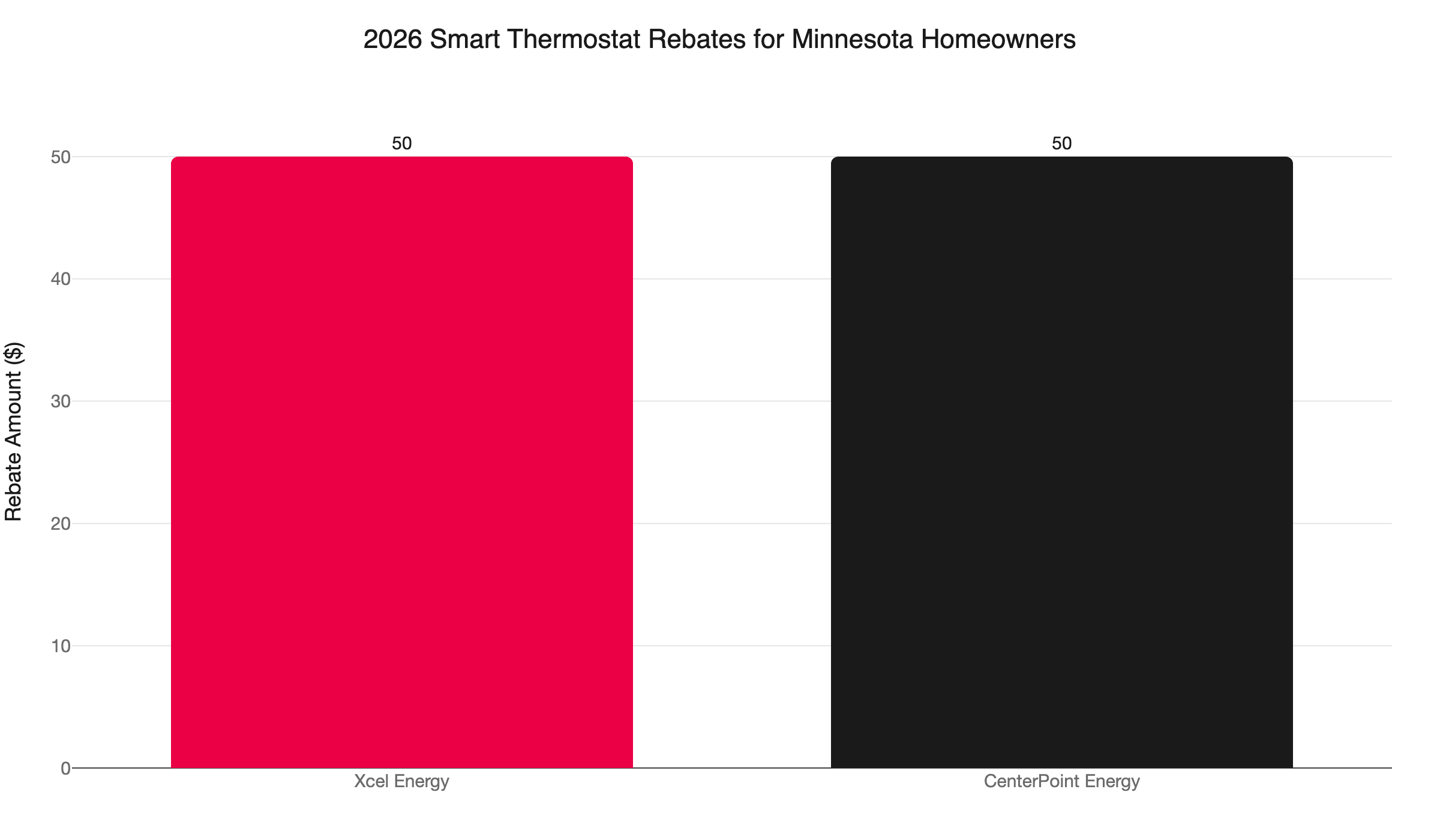
- Xcel Energy offers a rebate on ENERGY STAR certified smart thermostats, with select models including Nest and ecobee available at additional discounts through the Xcel store.
- CenterPoint Energy offers a $50 rebate on Wi-Fi smart thermostats for gas service customers. Limit one per gas service address. Must be installed and submitted by December 31, 2026.
If you are served by both utilities, you can stack both rebates for up to $100 back on a thermostat that was already going to need replacing. Combined with the estimated $50 per year in energy savings, an ENERGY STAR smart thermostat can pay for itself faster than most HVAC upgrades.
Confirm the C-wire before you upgrade
Smart thermostats depend on a C-wire for reliable operation. If your blank-screen diagnosis pointed to a missing or loose C-wire, mention it when you book. Our team confirms C-wire availability and runs the wire as part of every smart thermostat installation when needed - no guesswork on the wiring.
Quick Diagnostic Reference: Thermostat Blank Screen in Order
Work through these in sequence. Stop when you find the cause.
- Replace the batteries. Use fresh alkalines. Takes 2 minutes. Resolves roughly 40 percent of cases.
- Check the furnace power switch. It is near the unit and looks like a light switch. Confirm it is in the ON position.
- Reset the circuit breaker. Push to OFF, then to ON. Do not reset a second time if it trips again.
- Check the 3-amp control board fuse. Open the furnace panel. Look for a dark or broken fuse on the circuit board. Replace with the same-rated fuse only.
- Inspect the C-wire connection. Pull the thermostat off the wall plate. Confirm the blue wire is seated in the terminal labeled “C.”
- Check the condensate drain pan. Summer and fall only. If the pan has standing water, vacuum it out and allow the float switch to reset.
- Call a pro. If none of the above restores power, the thermostat itself may be failed, or there is a wiring fault that needs hands-on diagnosis.
If it is a Minnesota winter and you cannot restore heat by Step 4, do not wait through the rest of the list. Call (763) 260-6662. Our team is locally owned, and we show up when we say we will.
Frequently Asked Questions
How long do thermostat batteries typically last? +
Will a blank thermostat screen cause my furnace to stop working? +
Can I replace a thermostat myself? +
Need a technician now?